In this guide, you’ll learn how to update a contact’s information directly from the quotes module.
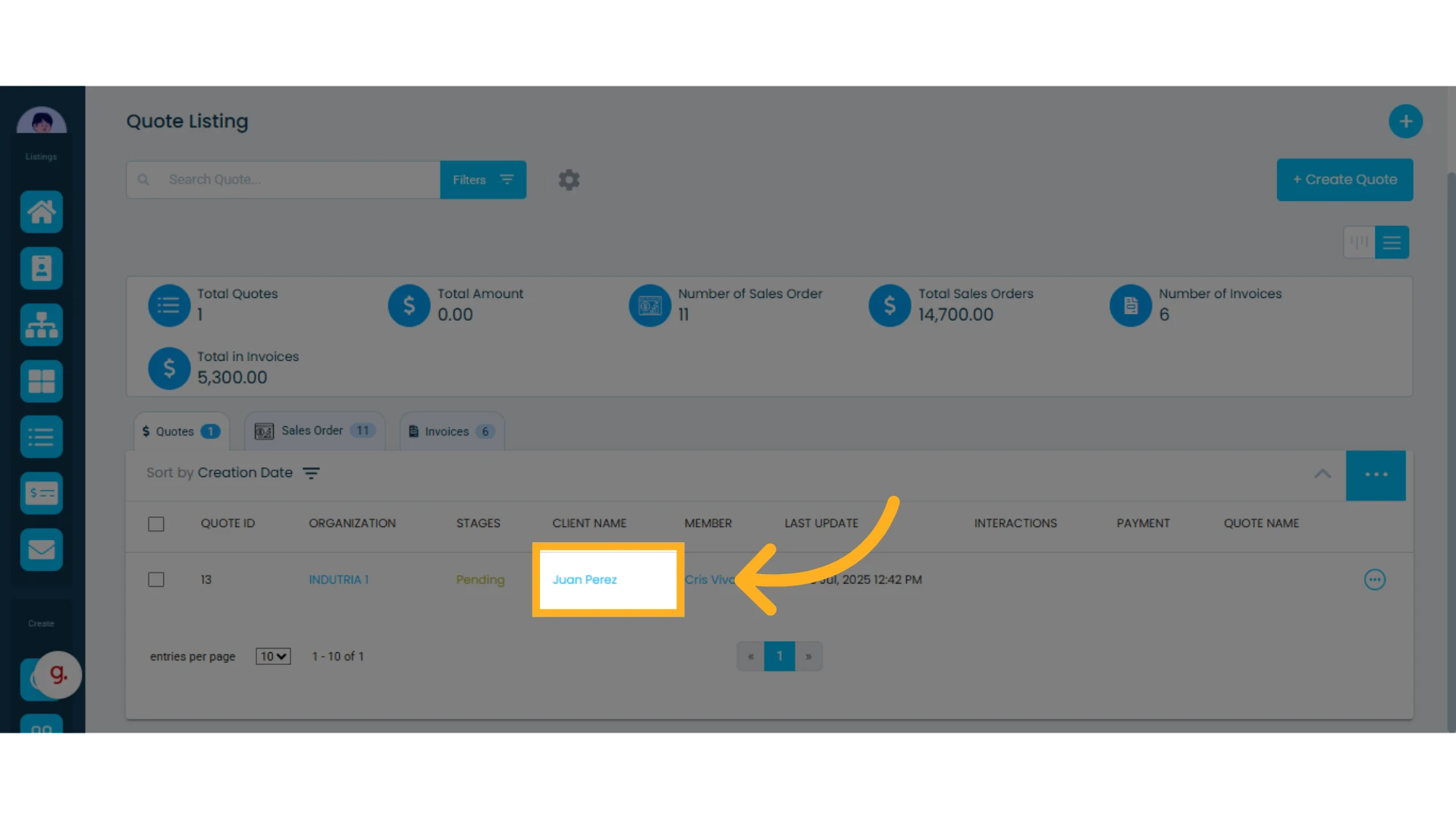
1. Open the quote where you want to modify the contact information
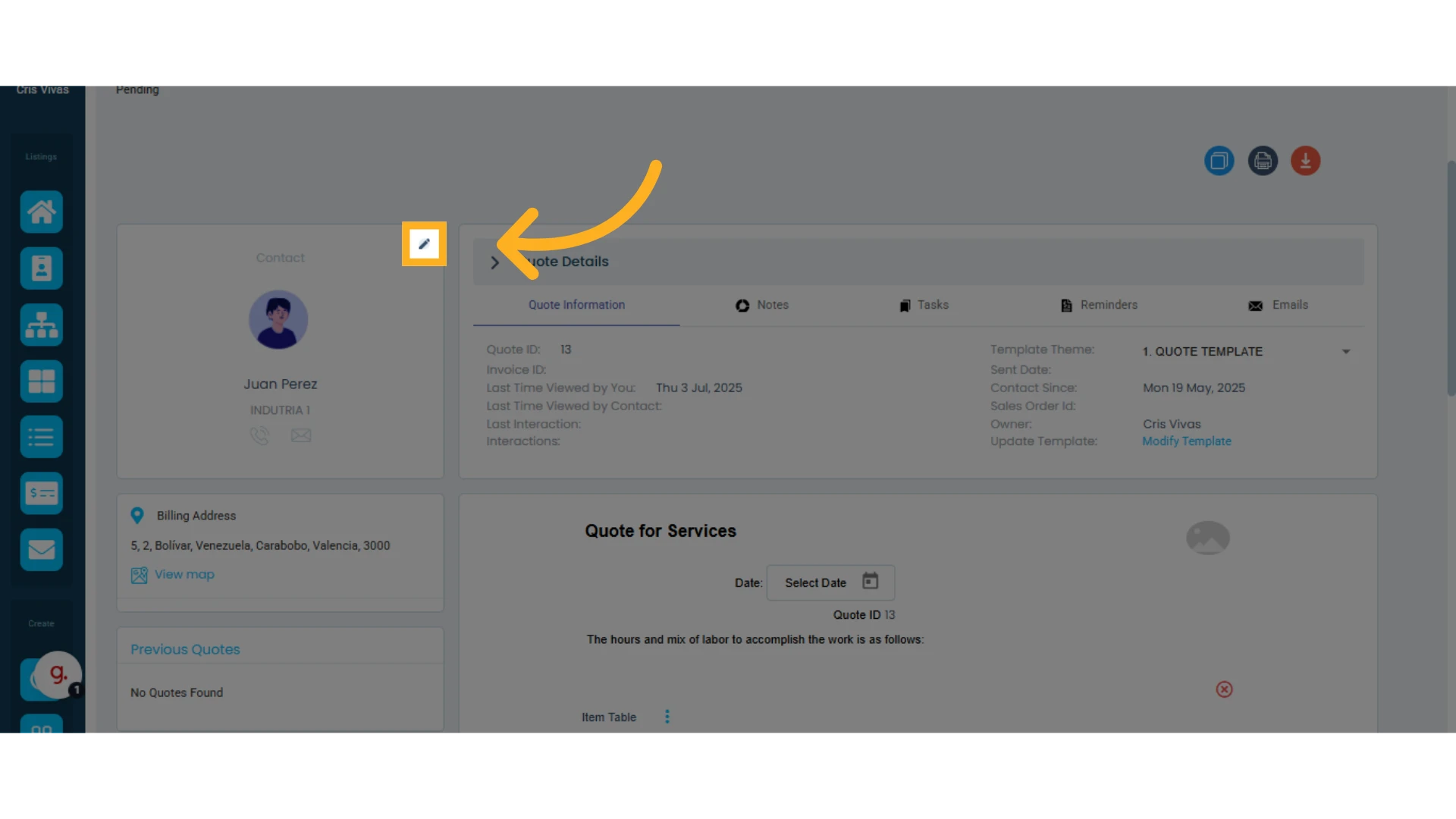
2. At the top left of the screen, click the pencil icon next to the contact’s name
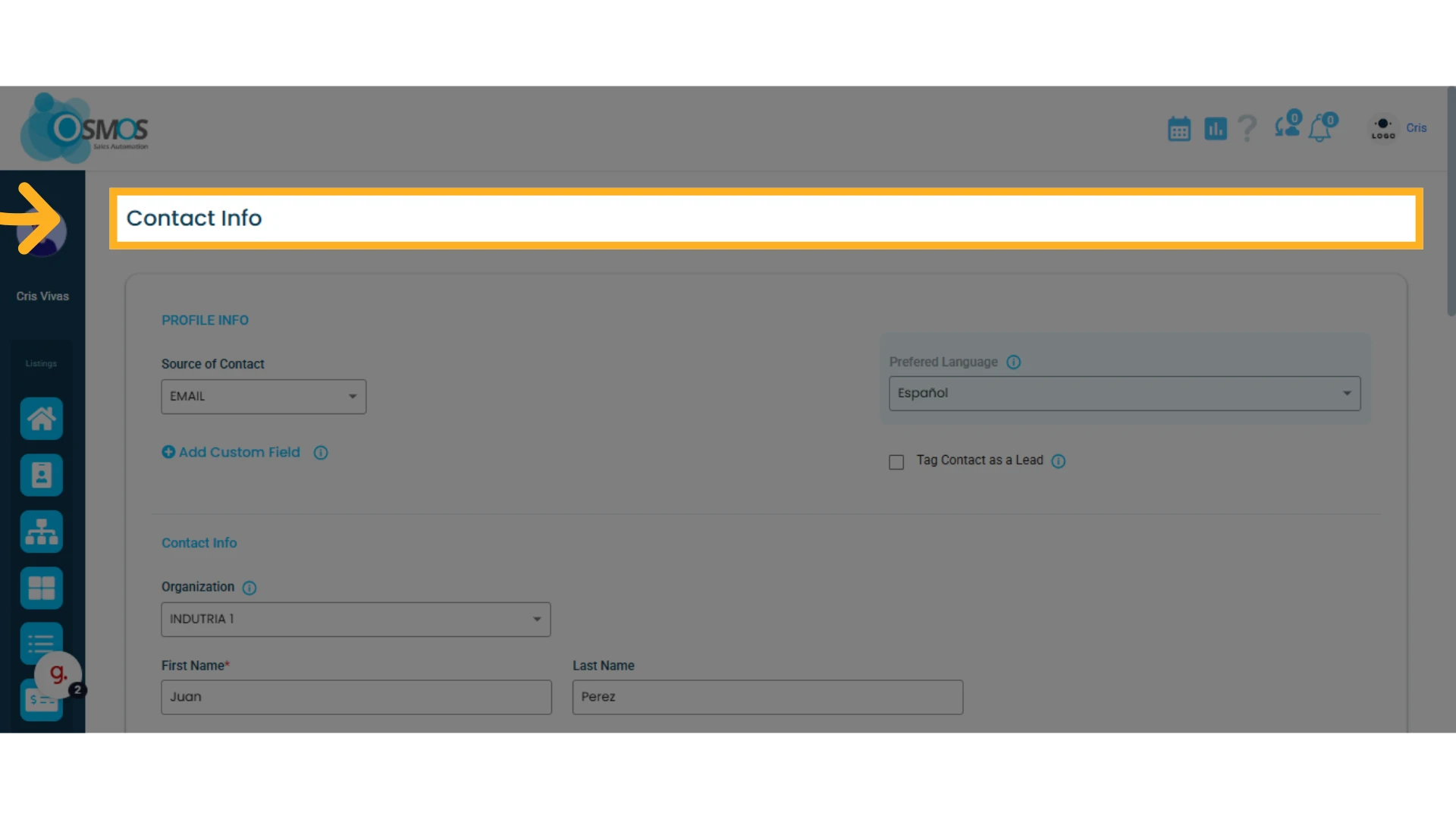
3. A new window will open displaying the contact’s information
Update any details you wish to modify.
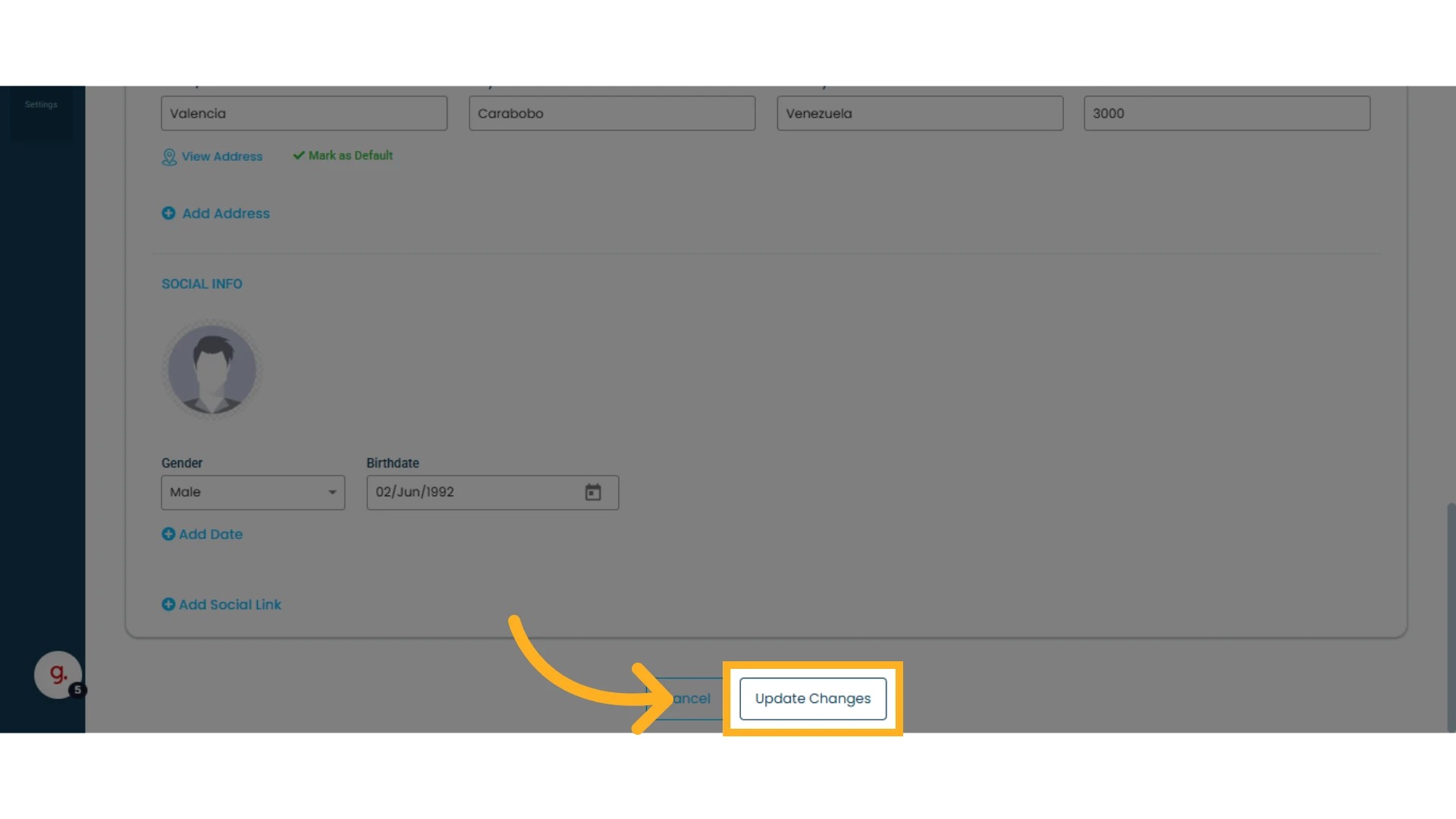
4. Click "Update Changes" to save the modifications
Once updated, the contact information will be reflected in the quote template.
NOTE: Any changes made to the contact’s information will be saved automatically.