The person who creates a workspace is identified by us as the "Superadmin" and the owner of the workspace. This individual is responsible for the workspace and is the sole point of contact for billing and communication.
While there can be multiple Superadmin roles within your team, there can only be one owner.
There may be instances where the person who created the workspace is not the business owner, or when the business is sold or transferred to someone else. In such cases, we strongly encourage transferring the ownership to prevent any potential loss.
IMPORTANT: We are only authorized to make changes to the account and discuss important information with the workspace owner.
STOP
Steps to take before leaving the workspace:
Create a member account for the person to whom you will transfer ownership of your workspace, if it hasn't been created yet. If the member is new, they must accept the invitation and be able to log into the workspace.
Add the new owner's credit card information and remove the former owner's credit card if they are different.
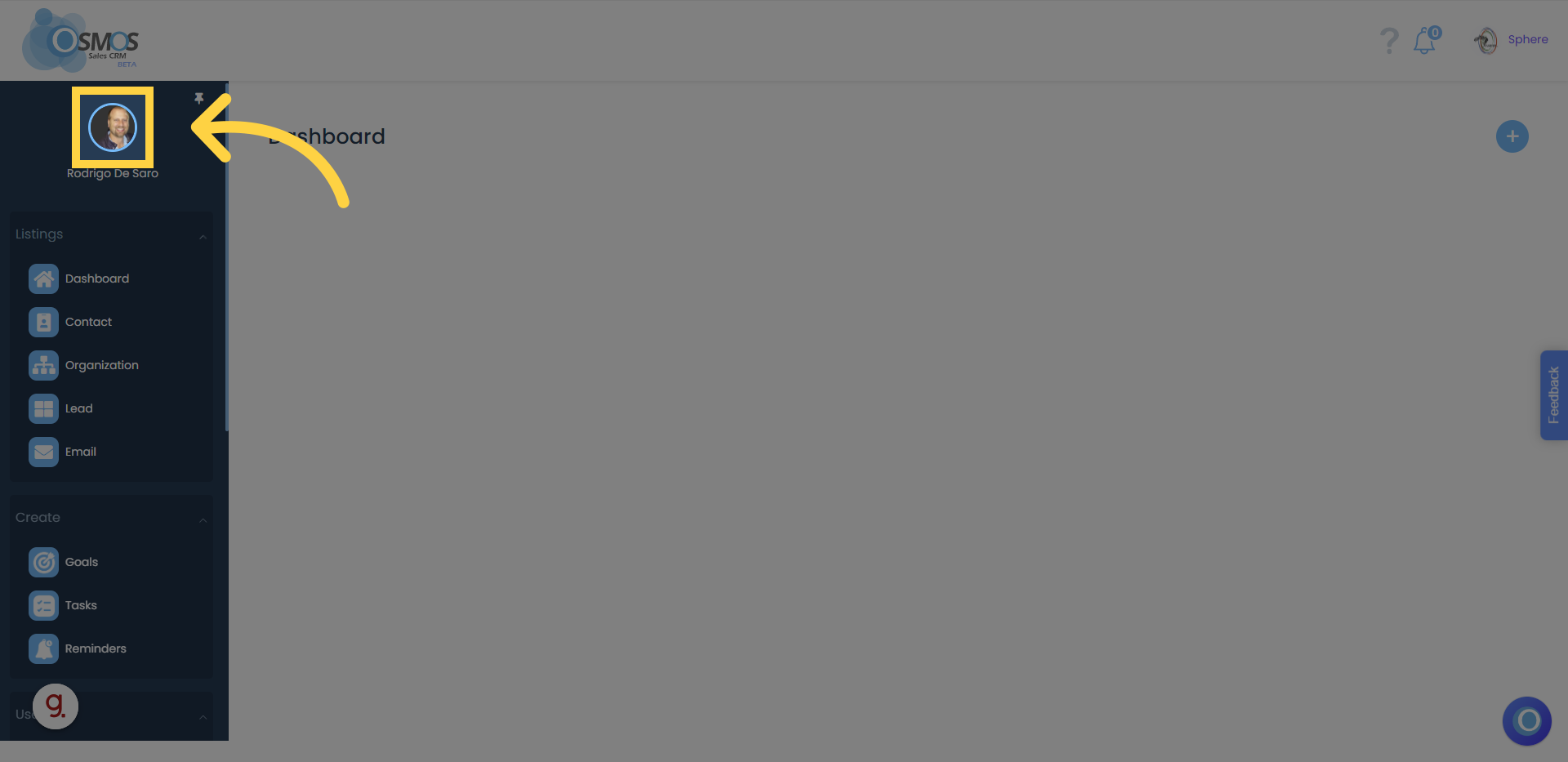
1. Log in with the OWNER account, then click on your profile picture located in the left menu or in the dropdown menu where your workspace name appears
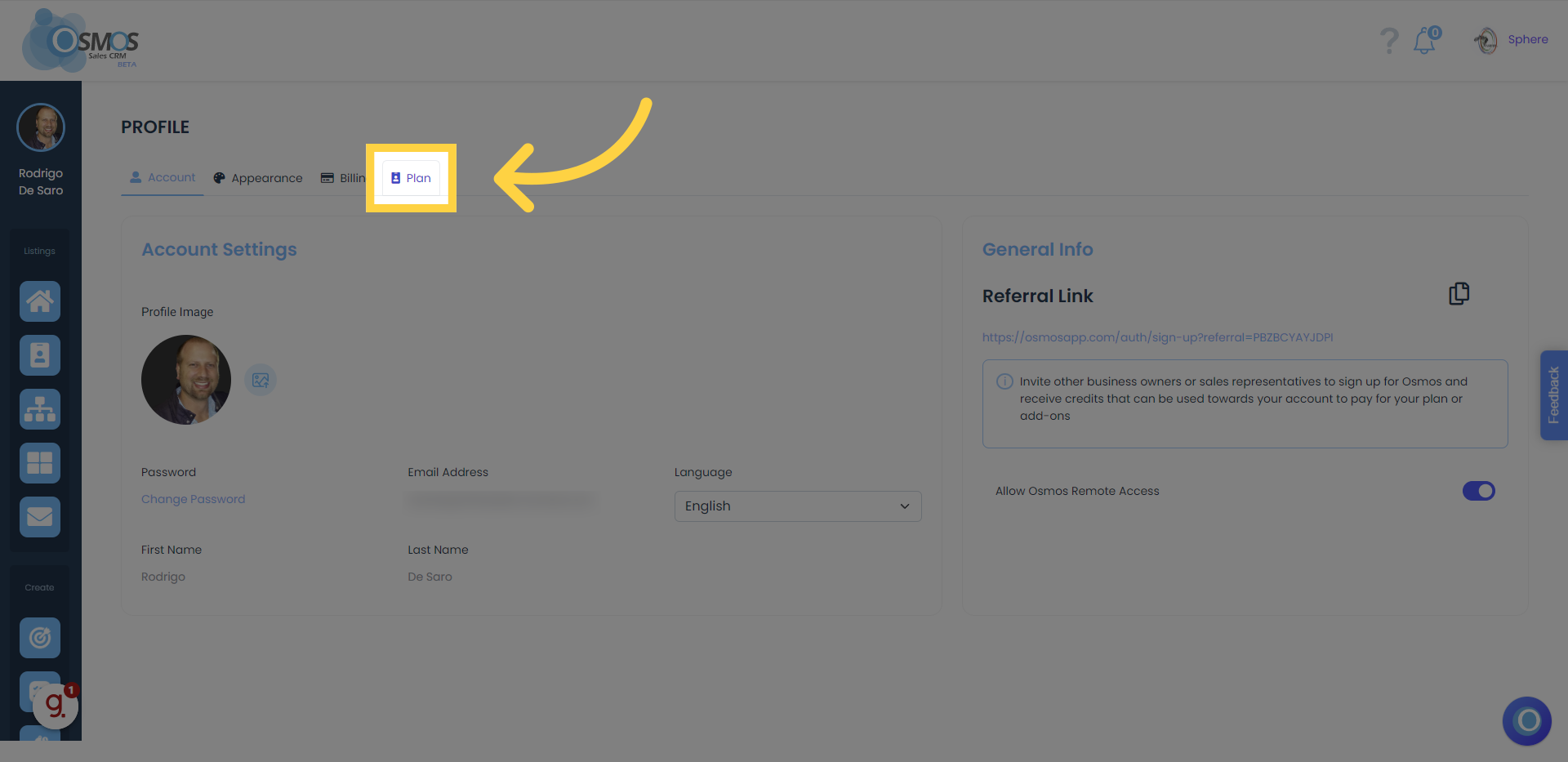
2. Click on "Plan"
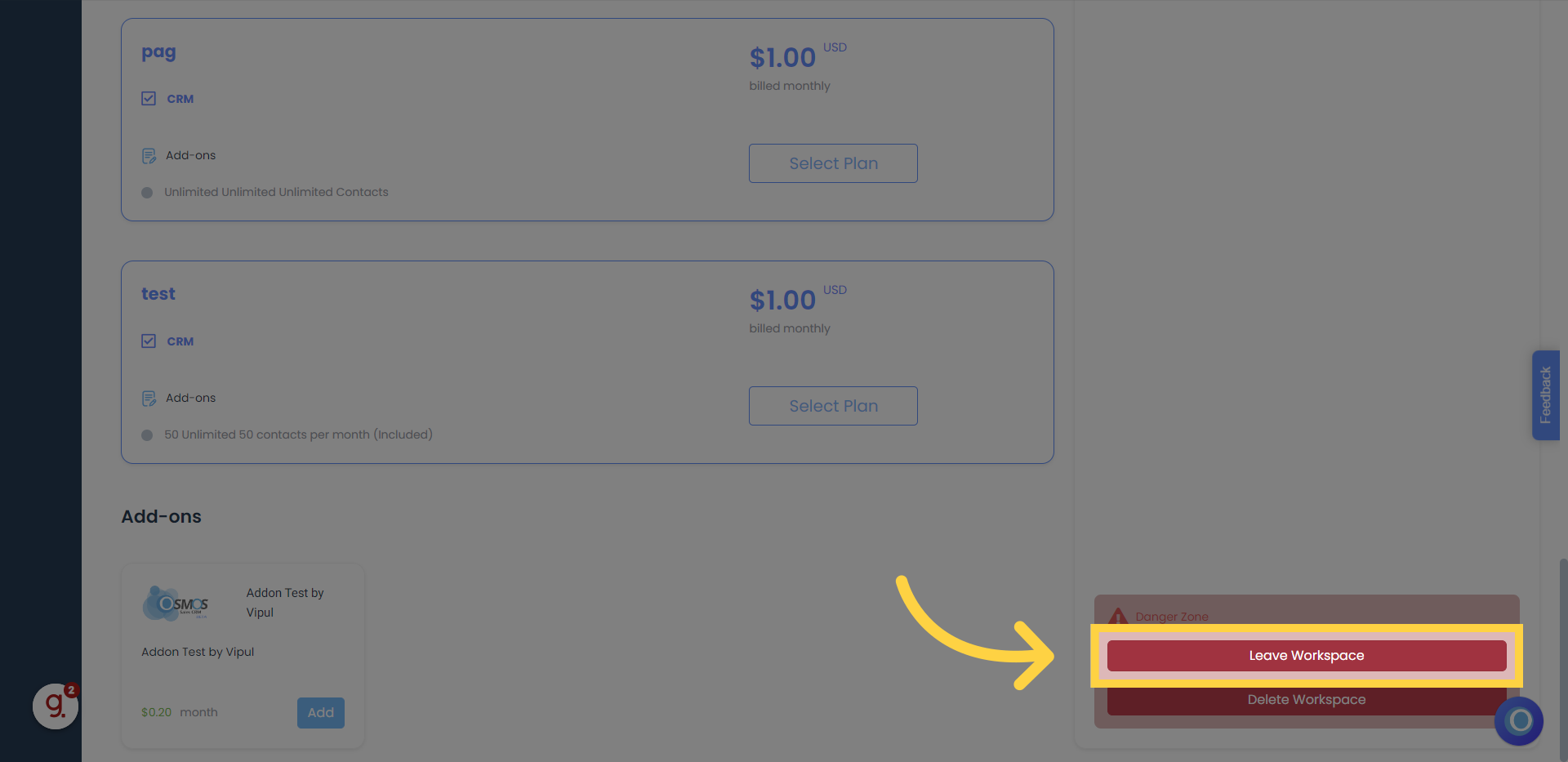
3. Scroll down and click "Leave Workspace"
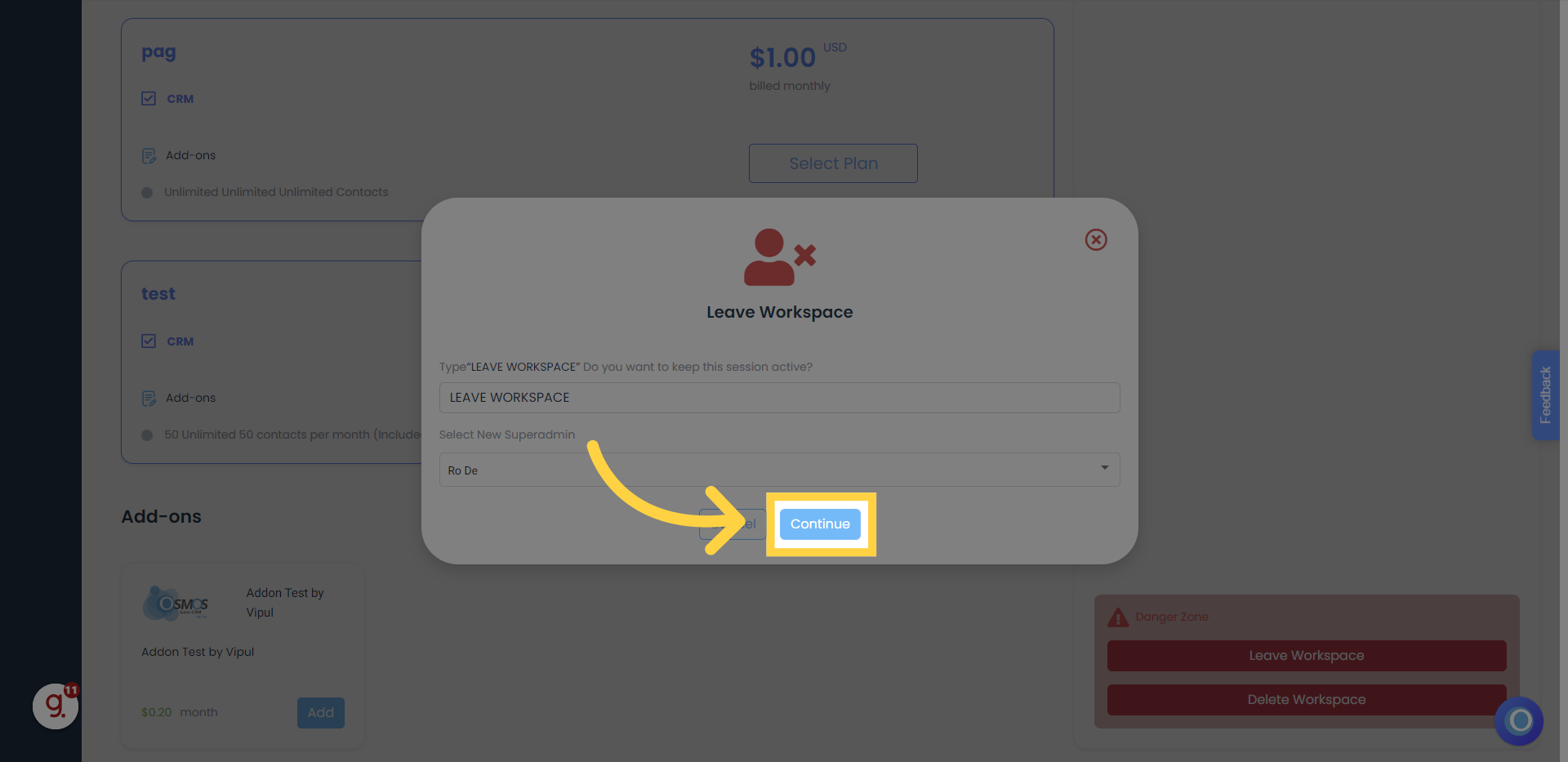
4. Type "LEAVE WORKSPACE" and select the workspace members that will become the new superadmin and workspace owner
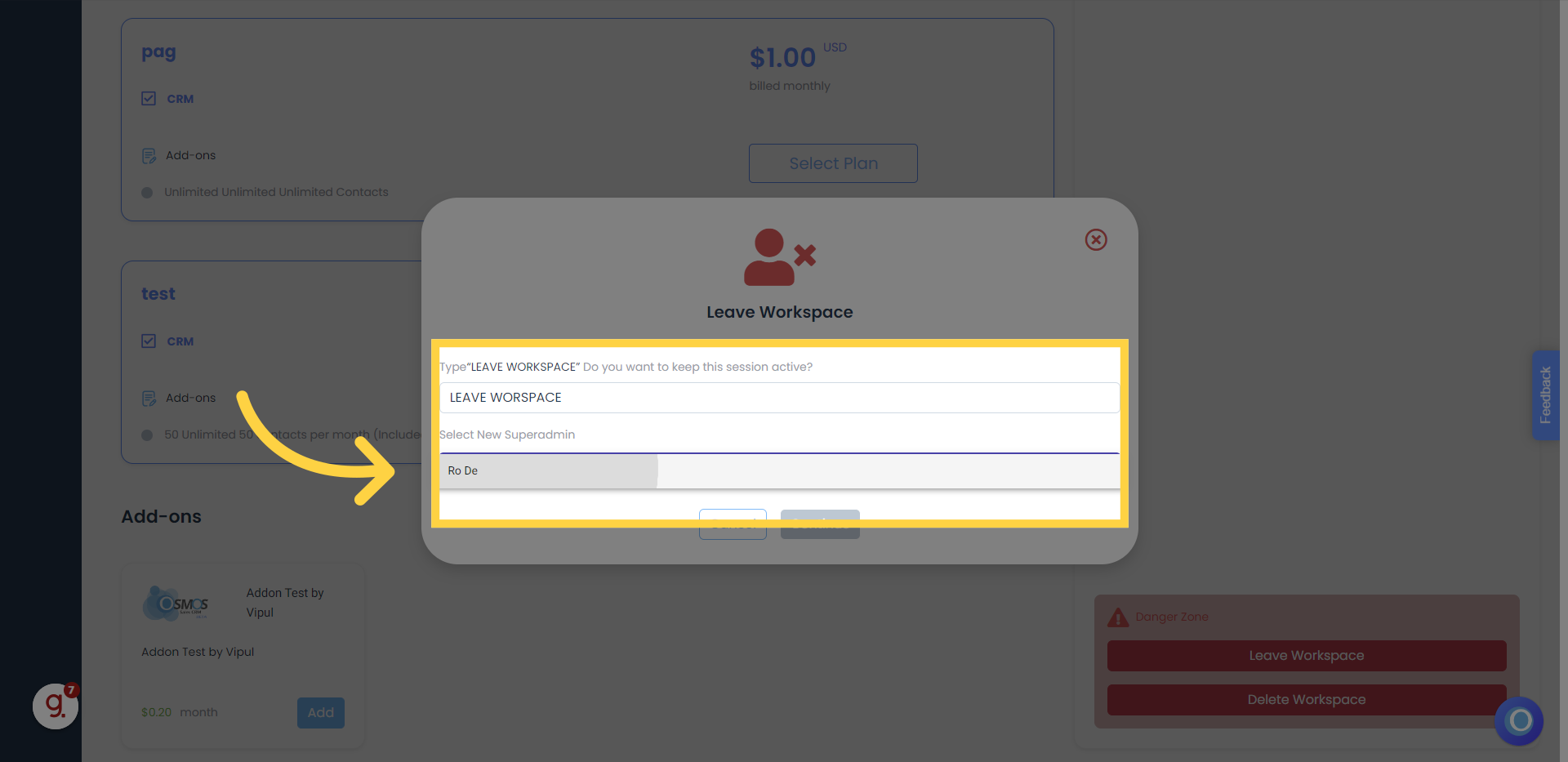
5. Click "Continue"
After this step, you will be logged out and removed from the workspace. If you want this member to remain part of your organization, invite them again as you normally do to add members to your workspace.