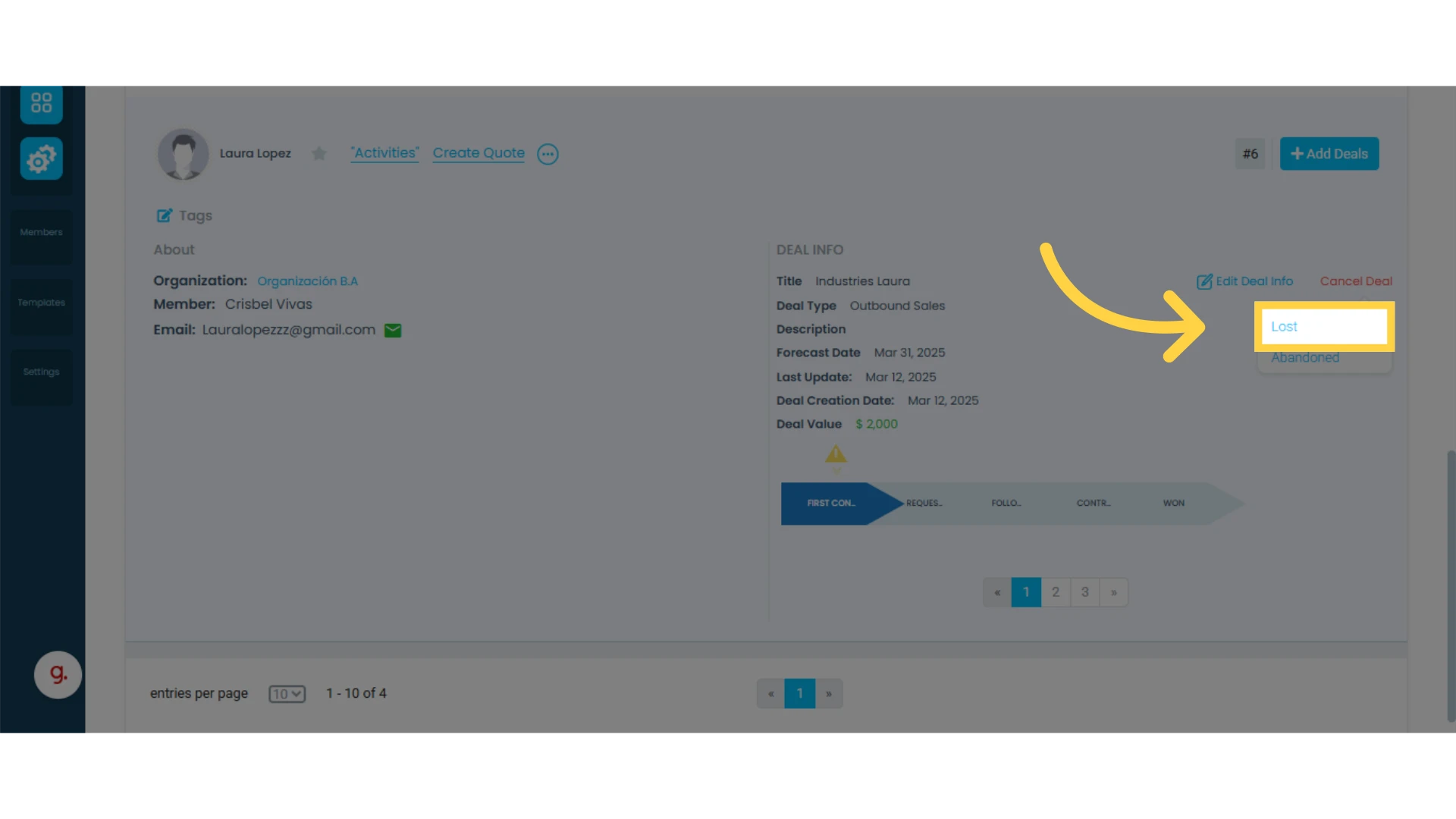
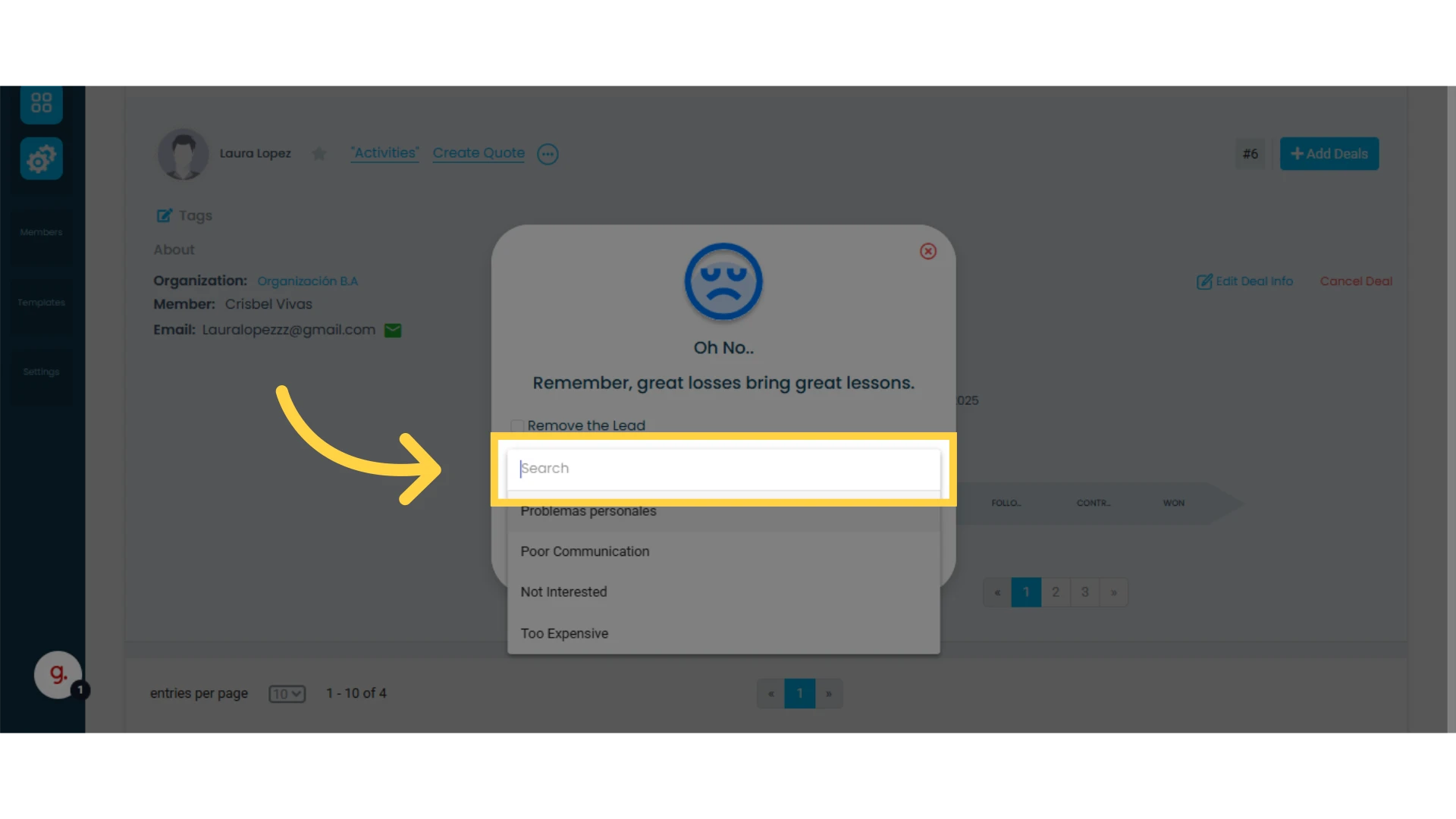
Reasons are utilized to identify the WHY behind a deal being lost, abandoned, or won. When marking a deal as lost, abandoned, or won, the workspace member will be prompted to select one option to specify the reason.
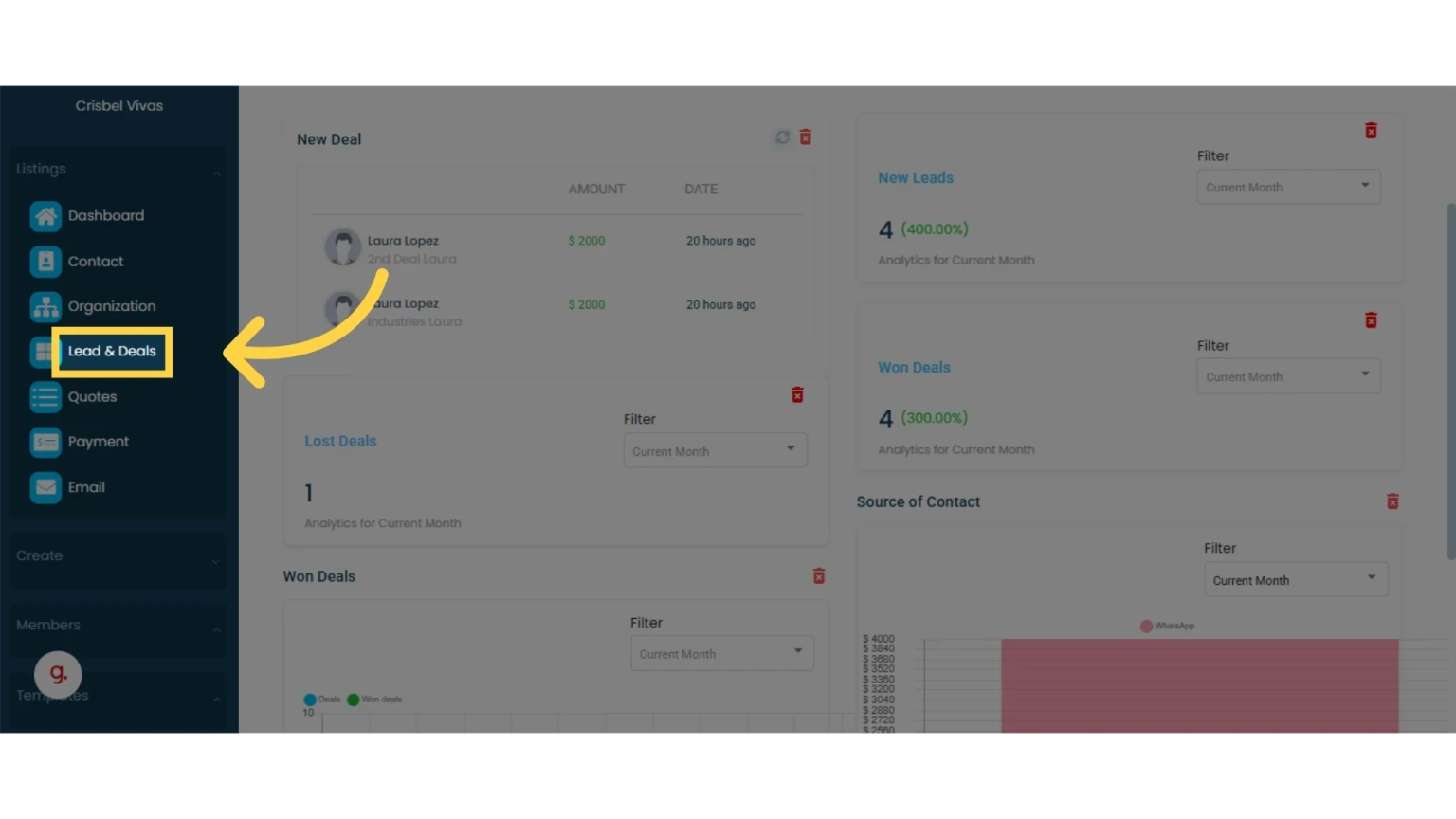
1. Click on "Lead & Deals" in the left main menu
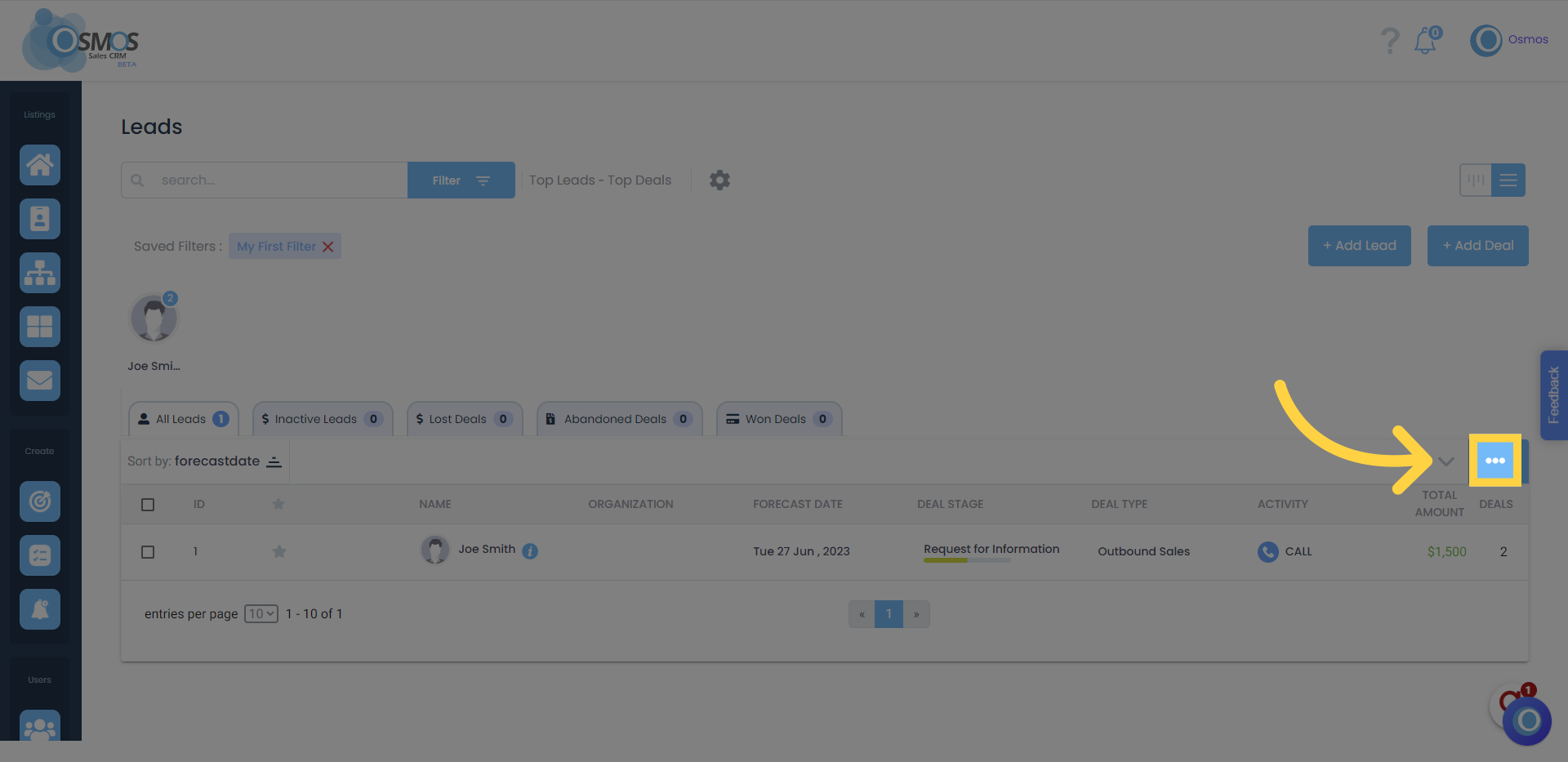
2. Click on the three dots
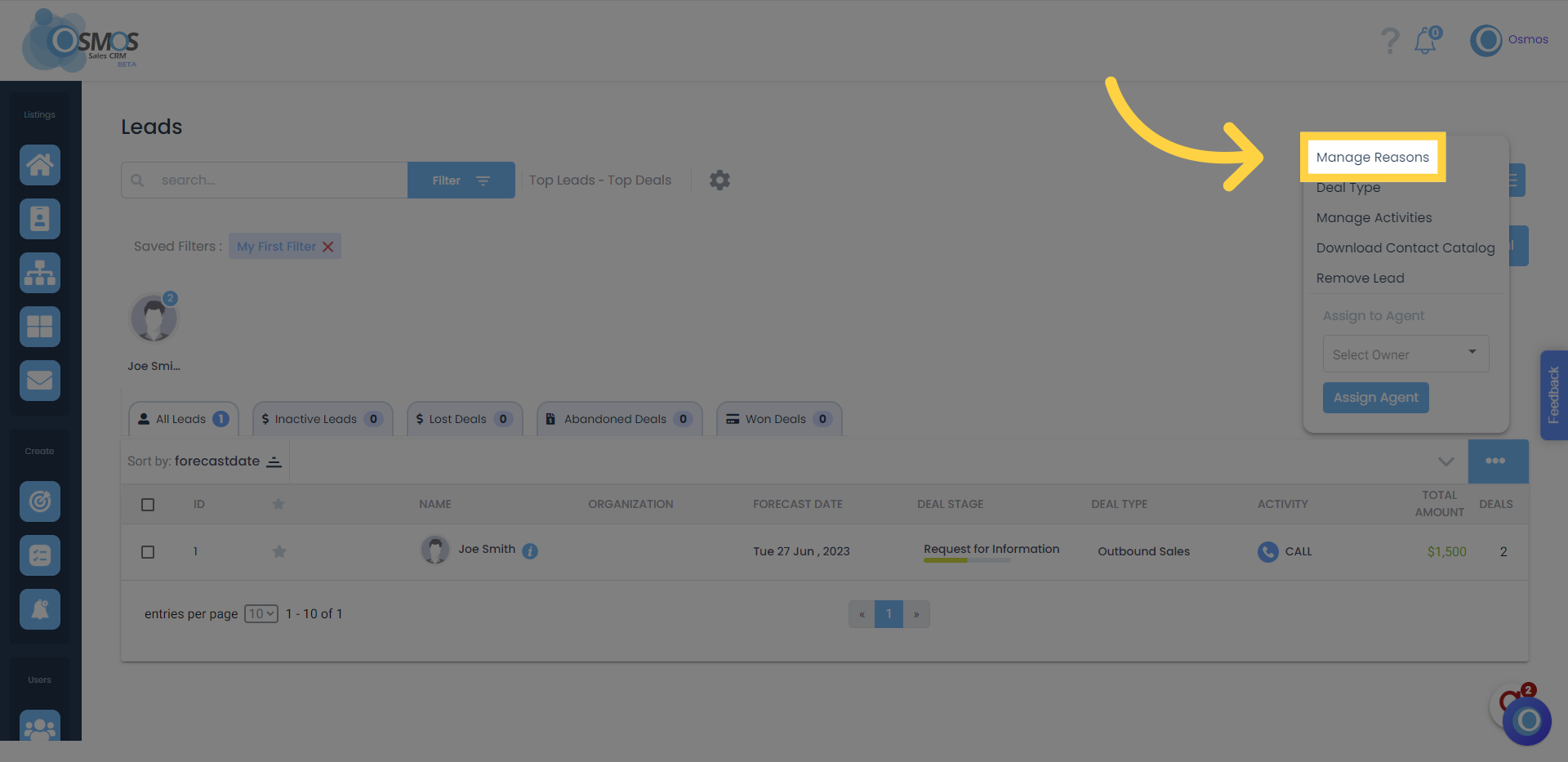
3. Click on "Manage Reasons"
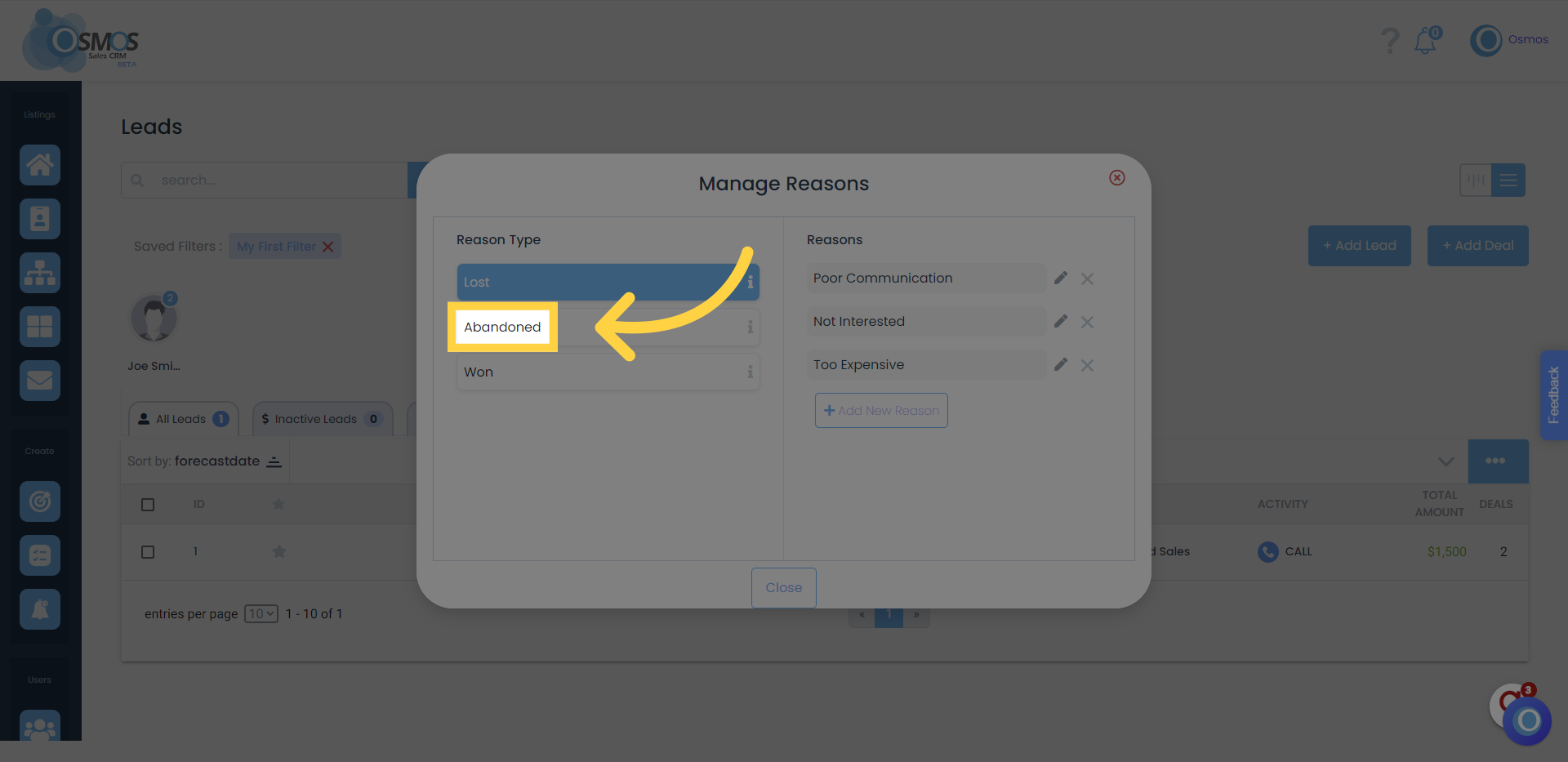
4. Select one of the three reason types (Won, Lost, or Abandoned)
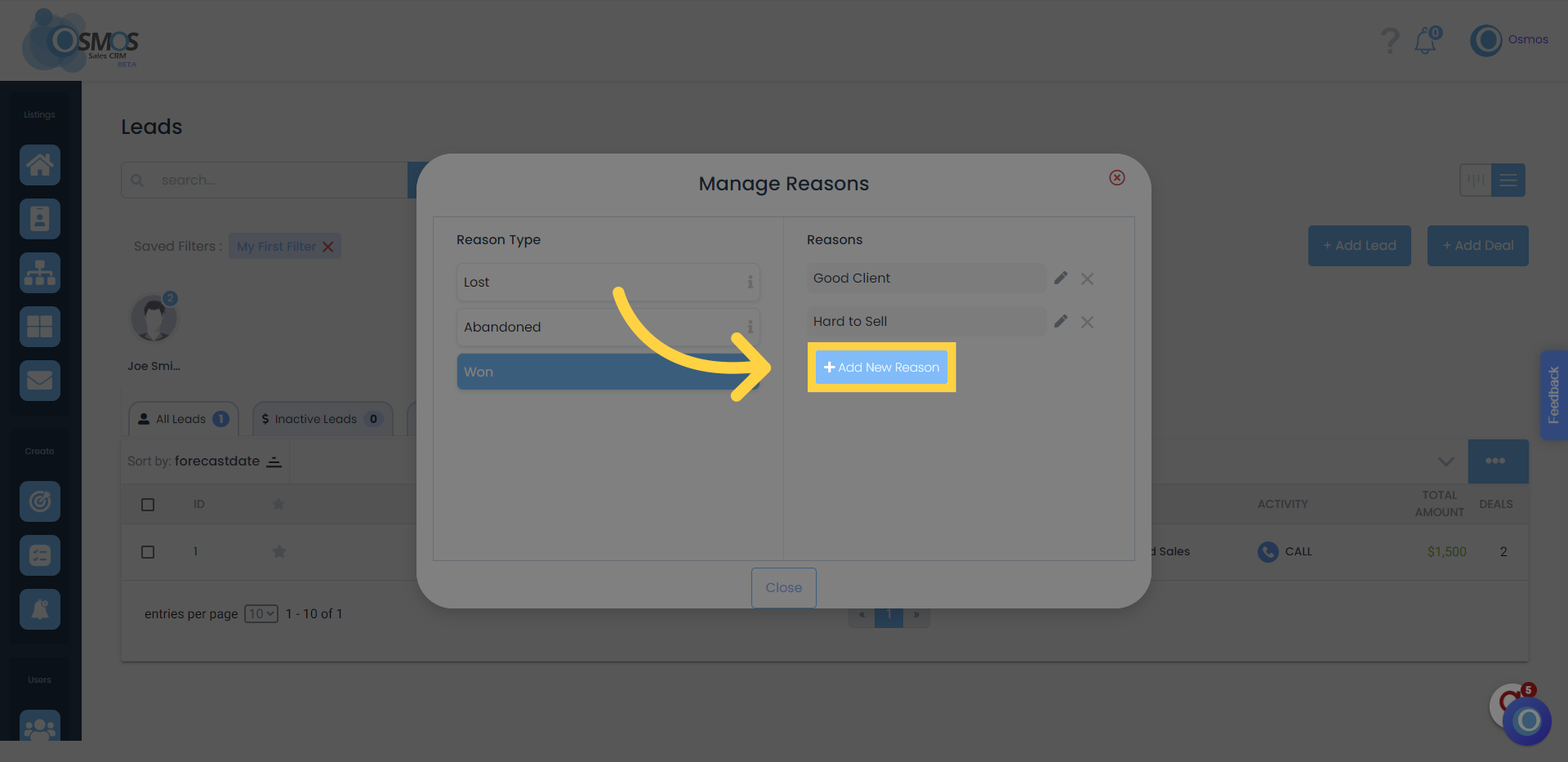
5. Add, edit, or delete reasons
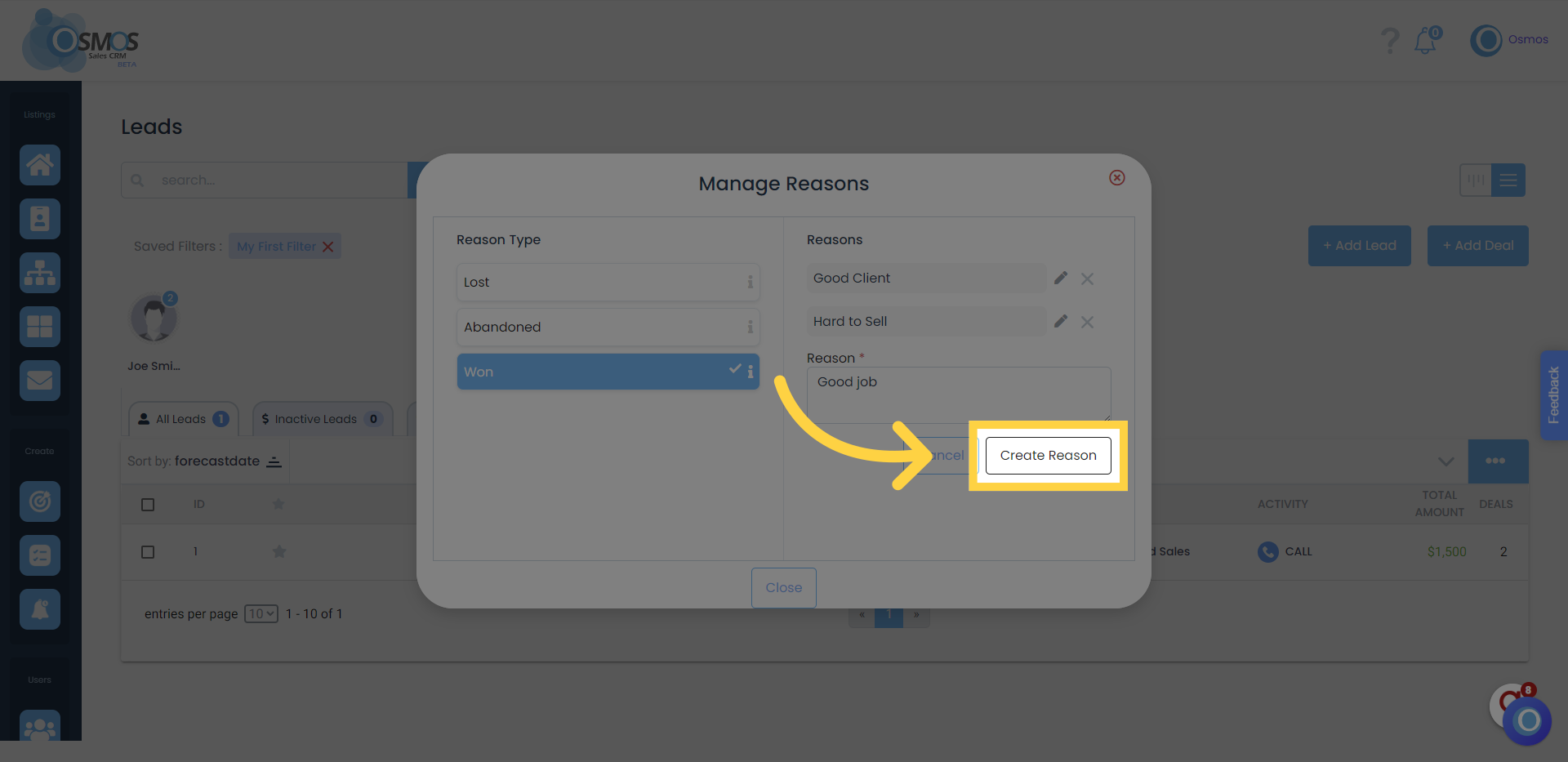
6. Write the reason and click on "Create Reason"
The reasons will be displayed when a team member clicks on a deal and marks it as lost, abandoned, or won.